Last Tuesday I spent four hours inside Cursor, pair-programming a feature with its AI copilot. Every suggestion was good. Every autocomplete landed close enough to save me a keystroke. But at 6pm I closed the laptop, and the 47 unread emails from the afternoon were still there. The competitive pricing report I’d asked about at lunch was still not done. The copilot had been brilliant inside my editor. Outside it, nothing had moved.
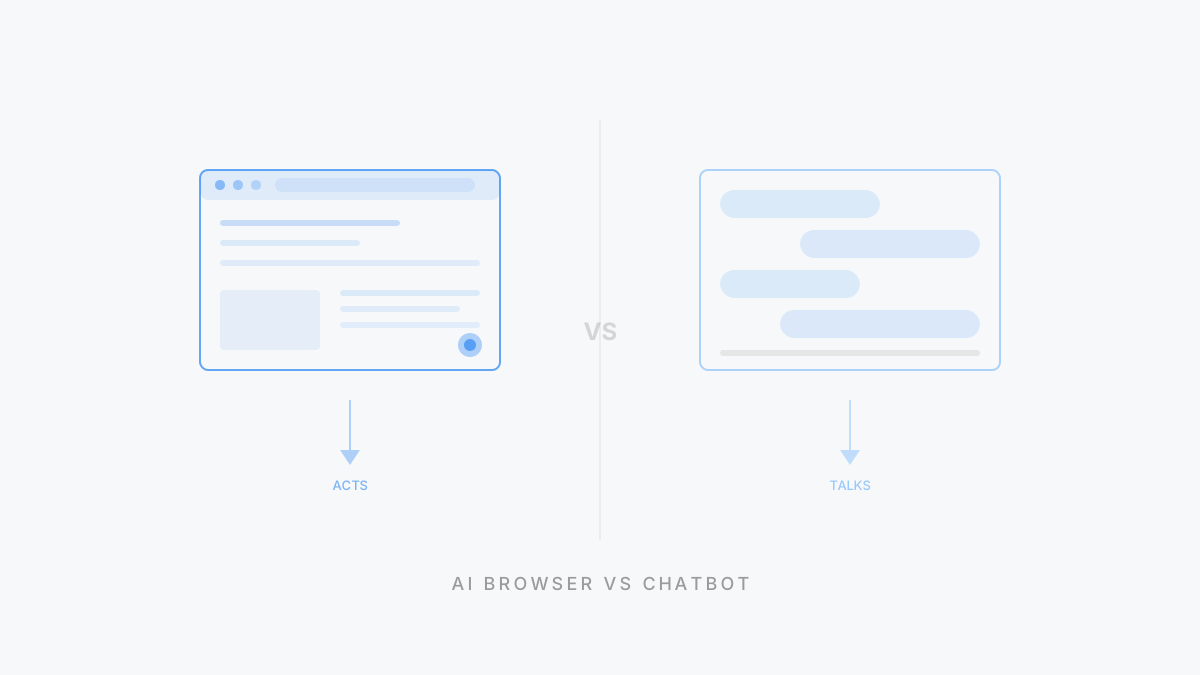
A personal agent is an AI that knows your context, acts across your digital life, and keeps working when you close the app. A copilot sits next to you in one application and makes you faster at what you’re already doing. Collaboration vs. delegation. Both are real. They solve different problems.
What is a copilot?
The flying metaphor writes itself. A copilot sits in the cockpit next to the pilot. Two people, one plane. The copilot reads instruments, handles comms, takes over during a bathroom break. But the pilot stays in the seat. The plane doesn’t fly itself.
That’s exactly how AI copilots work. GitHub Copilot watches you write code and suggests the next few lines. Microsoft Copilot lives inside Word, Excel, and Teams, summarizing the meeting you just sat through or drafting slides from a document you highlight. Cursor turns your editor into a pair-programming session where the AI sees your codebase and helps you write the next function.
Genuinely useful products. GitHub Copilot shaves hours off experienced developers’ weeks. Microsoft Copilot compresses a 30-minute meeting recap into 30 seconds. I leaned on Cursor for most of a refactor last month and it felt like having a senior engineer glancing over my shoulder. (A patient one, which is more than I can say for some actual senior engineers.)
But notice the pattern. Every copilot lives inside one application. GitHub Copilot knows your code but has no idea what’s in your email. Microsoft Copilot knows your Word documents but can’t check your CRM. Cursor understands your codebase but doesn’t know about the Jira ticket that explains why you’re refactoring in the first place.
Each copilot sees the world through a single window. Close that window, and it stops.
What is a personal agent?
Now flip the analogy. A personal agent isn’t the copilot sitting next to you. It’s the autopilot. It flies while you read a book.
A personal agent is an AI that maintains persistent memory of who you are, acts autonomously across your email, calendar, files, browser, and messaging tools, and improves every time you correct it. You don’t sit beside it while it works. You describe an outcome. It figures out the steps. You review the result.
You say “prepare a competitive briefing on these three companies before my Monday meeting.” The agent checks their websites, reads recent press, pulls context from your existing notes, drafts a summary in the format you prefer, and drops it in your folder by Sunday night. You didn’t watch. You didn’t approve each step. You opened the document Monday morning and it was there. That’s the relationship.
The “personal” in personal agent isn’t marketing decoration. It means the agent remembers your preferences across sessions, learns your writing tone, knows your scheduling rules, and understands that when you say “urgent” you mean within the hour, but when your colleague says it you mean next Tuesday. For the full breakdown of how that memory architecture works, see our personal agent definition guide.
Products building in this space include ego, Manus (acquired by Meta for ~$2B in December 2025), and Lindy. The category is early. Not every product that says “agent” means it.
How is a personal agent different from a copilot?
The surface version is “copilot helps, agent does.” True, but incomplete. The structural differences go deeper.
Here’s the comparison that matters. Each row represents a design decision baked into the product architecture, not a feature that can be toggled on later. Copilots are embedded in single applications by design. Personal agents sit on top of your entire environment by design. That structural gap shapes everything else in the table.
| Dimension | Copilot | Personal Agent |
|---|
| Working model | Collaborative: you work, it assists in real-time | Delegative: you assign, it executes, you review |
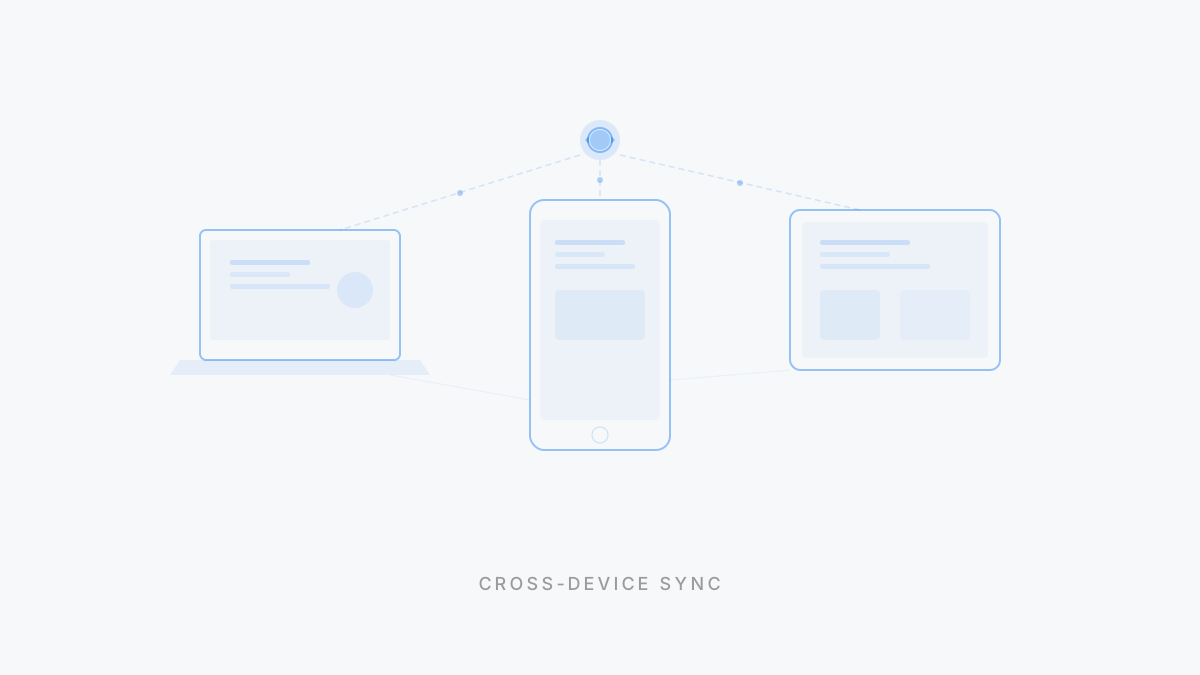
| Scope | Single application (your IDE, doc editor, spreadsheet). No access outside it. | Cross-platform: email, calendar, browser, files, messaging. No walled garden. |
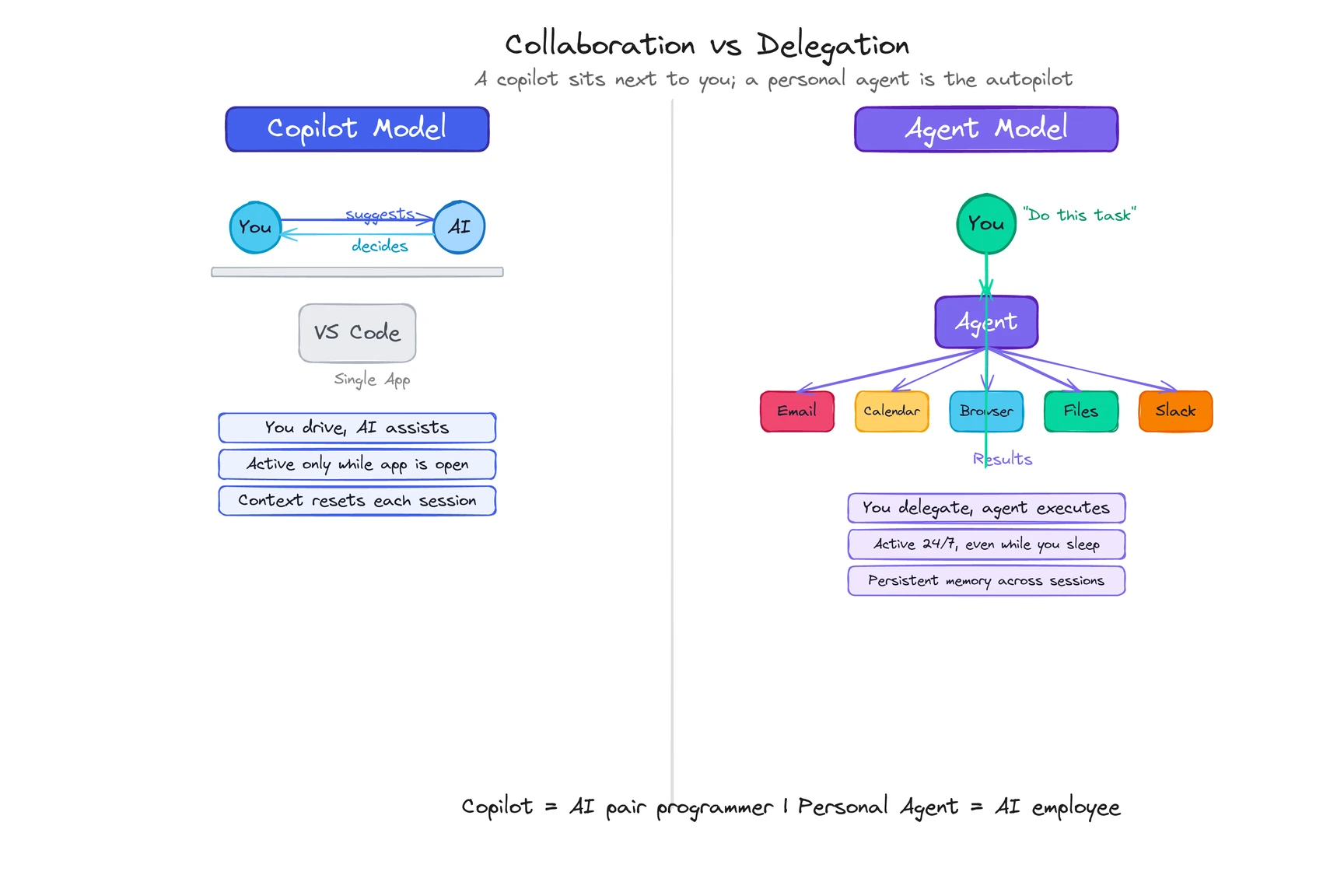
| Active when | Only while you’re using the app. Close it and it stops. | 24/7, including background tasks while you sleep. |
| Memory | App-specific context (your current file, your codebase). Resets between sessions. | Persistent cross-session memory: preferences, behavior patterns, corrections. |
| Autonomy | Suggests actions; you decide and execute | Acts on your behalf; you review results |
| Proactive? | Rarely. Responds to your cursor position or current context. | Yes. Initiates tasks based on signals it observes. |
| Examples | GitHub Copilot, Microsoft Copilot, Cursor | ego, Manus, Lindy |
Three differences matter most.
Who does the work?
A copilot is pair work. You write code, it suggests the next line. You edit a document, it offers a rewrite. You’re still driving. The copilot makes you faster at the thing you’re already doing.
A personal agent is delegation. You describe what you want done. The agent figures out the steps, executes them across whatever tools are needed, and comes back with a result. You’re not in the loop during execution. You’re at the review stage.
This isn’t about which is “better.” Writing a complex algorithm benefits from a copilot watching your keystrokes in real time. Monitoring three competitors’ pricing pages every morning doesn’t need you in the seat at all.
Curious what delegation looks like in practice? See how a personal agent handles daily workflows.
How wide is the view?
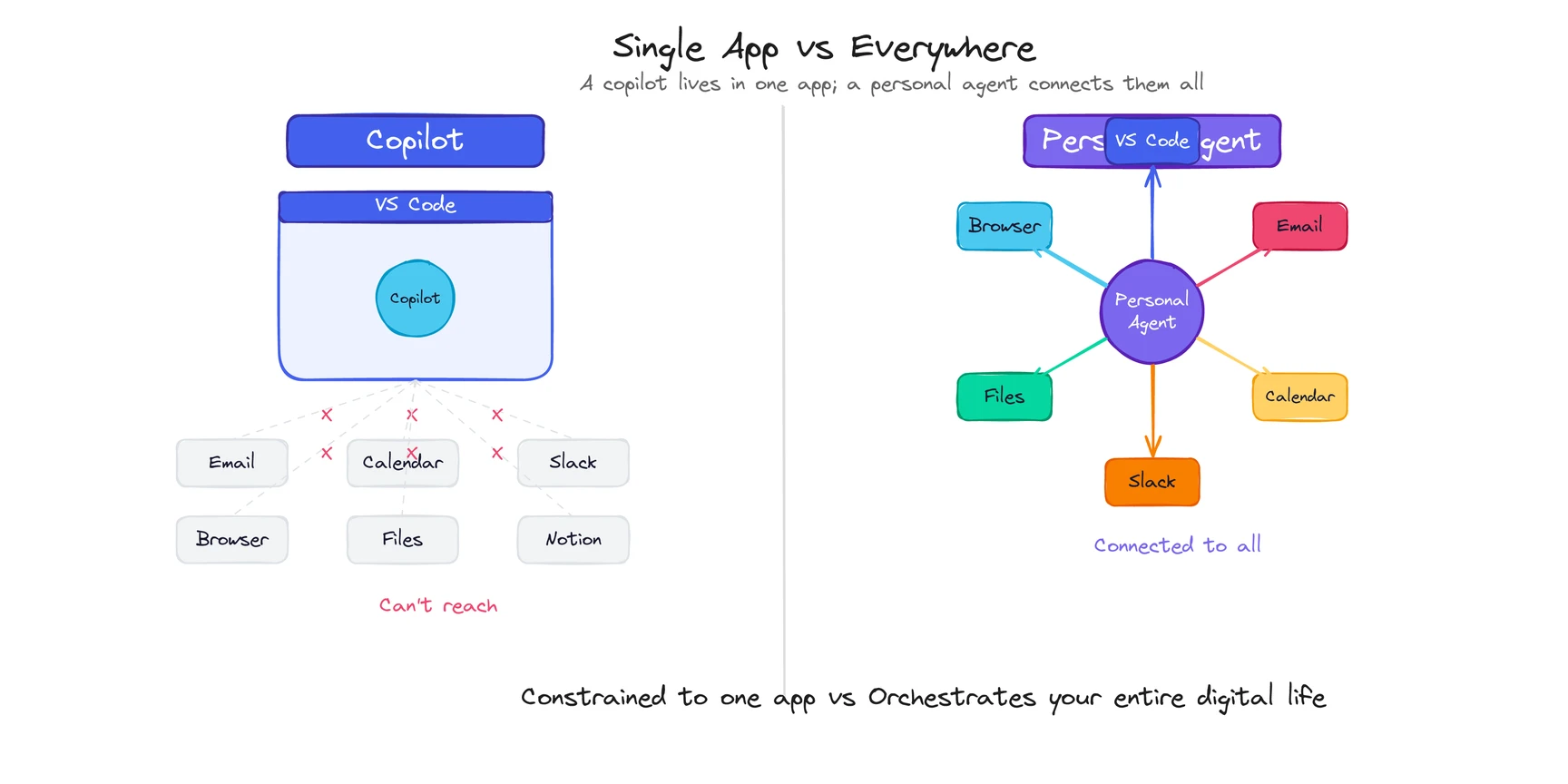
This is the constraint copilots can’t escape. GitHub Copilot is brilliant inside VS Code. But it can’t pull context from the product spec in Notion that explains what you’re building, or check the Slack thread where the designer changed the requirements an hour ago. It sees your code. Period.
A personal agent operates across the boundaries between your tools. It reads the Slack message, checks the Notion spec, and uses both as context when drafting the implementation. Or it skips you entirely, writes the code based on the spec, posts it for review, and moves on to the next task.
The architectural reason: copilots are built by application vendors and embedded inside their own products. Microsoft builds Copilot into Microsoft 365. GitHub builds Copilot into VS Code. Each one is powerful within its walled garden and blind outside it. Personal agents sit on top of your entire environment and work across all of it. Different foundation. Different ceiling. (For the technical architecture that enables this cross-platform reach — including MCP tool integrations and the perceive-reason-act loop — see How Do Personal Agents Work?)
When does it run?
Close VS Code, and GitHub Copilot stops. Close your browser, and Microsoft Copilot stops. A copilot is active exactly when you are, inside the app where it lives.
A personal agent keeps running. Assign a research task before dinner, and the results are waiting when you get back. Set up a monitoring job, and the agent checks daily without you opening anything.
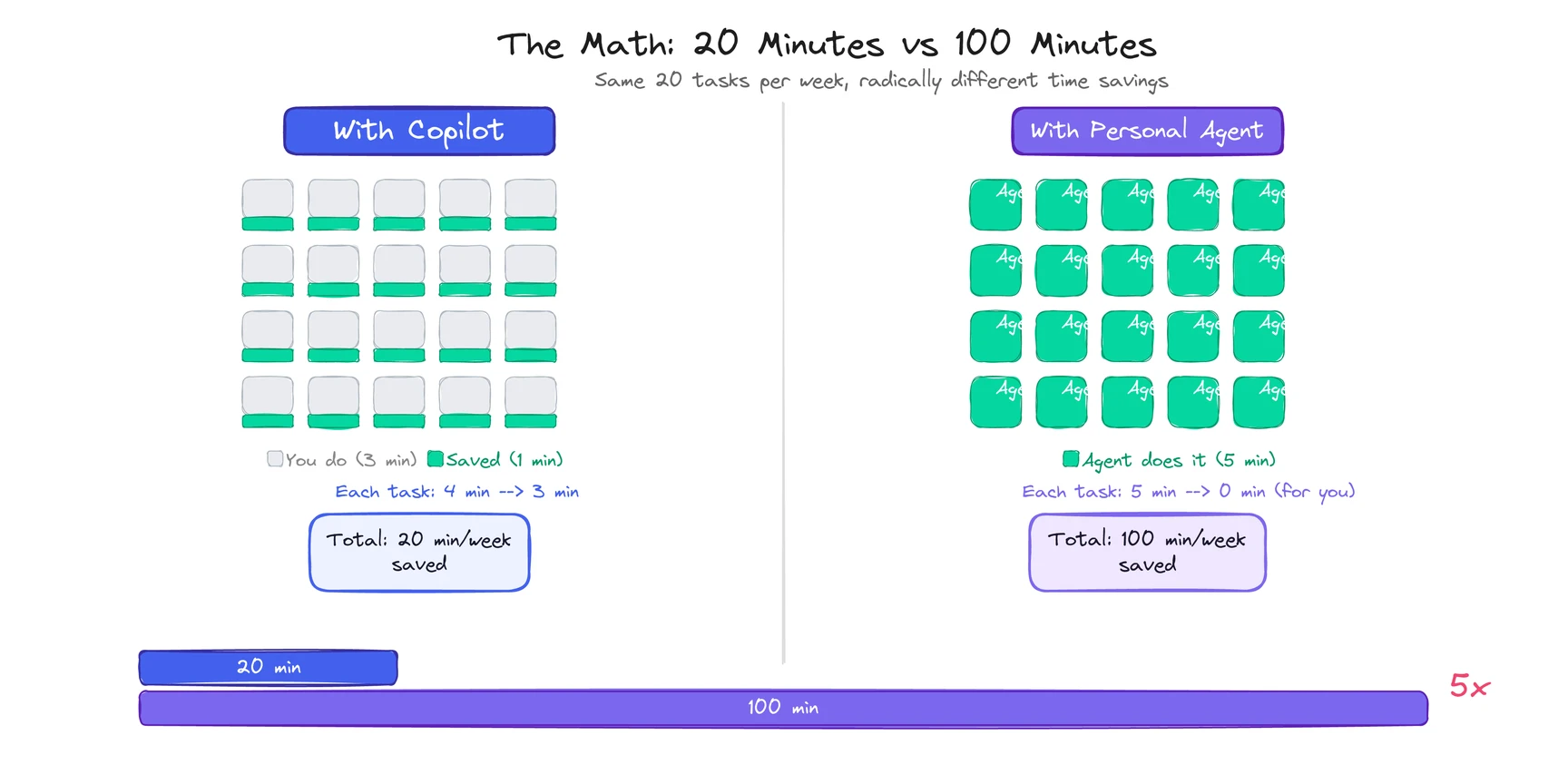
This sounds like a small difference. It changes the math on what’s worth automating. Tasks that take 5 minutes but happen 20 times a week add up to nearly 2 hours. A copilot helps you do each one faster, maybe saving a minute each time (that’s 20 minutes back). A personal agent does all 20 without you (that’s 100 minutes back). Five times the return for the same class of task.
When do you want a copilot vs. a personal agent?
Not everything needs an autonomous agent. Not everything benefits from a copilot. The right model depends on the task.
| Reach for a copilot when… | Reach for a personal agent when… |
|---|
| You’re pair-programming or editing in real time | The task spans 3+ tools (email, calendar, docs) |
| The work lives entirely inside one app | You want it done, not helped |
| Every output needs your review before it ships (legal, financial) | The task repeats daily or weekly in roughly the same shape |
| It’s a single session: sit down, do the work, get up | Accumulated context from your history would improve the output |
Here’s the honest version: I use Cursor every day. It’s the best copilot I’ve touched. And every evening, there’s still a pile of cross-app work that no copilot can reach. The inbox triage, the meeting prep, the competitor monitoring, the status report no one reads but everyone expects. That pile is where a personal agent lives.
See how a personal agent handles the work copilots can’t reach.
Most knowledge workers will end up using both. Copilots for deep-work sessions where you want real-time collaboration. Personal agents for everything you’d rather delegate than do yourself.
What are the limitations of each model?
The enthusiast posts skip this part. They shouldn’t.
Copilots are only as good as the app they live in. If Microsoft Copilot doesn’t support the workflow you need inside Excel, you’re stuck. If GitHub Copilot’s suggestions are wrong 30% of the time (and some benchmarks put it there for complex logic), you spend mental energy evaluating every line instead of writing freely. The copilot giveth speed, and the copilot taketh attention.
Personal agents require trust you might not be ready to give. An agent that manages your email, calendar, and files needs access to your email, calendar, and files. That’s the tradeoff. The richer the context, the better the agent. But richer context means deeper access. I’m still not fully comfortable with it, and I work in the space. (If you are fully comfortable, you probably haven’t thought about it hard enough.)
Agents make autonomous mistakes. When a copilot suggests bad code, you see it and reject it. When a personal agent sends an email based on a wrong inference, the damage lands in someone’s inbox before you know. The best agents include approval layers for high-stakes actions, but the line between “routine” and “high-stakes” is different for every user.
Copilots are converging toward agents. GitHub Copilot shipped an “agent mode” in early 2026 that handles multi-step coding tasks autonomously. Microsoft is adding agentic features to Copilot across its apps. The boundary between copilot and agent is getting blurry at the edges. Good for users. Confusing for anyone trying to draw clean category lines.
Neither model is going away. They solve different problems, and the uncomfortable truth is that the gap between them is shrinking from both directions. The best personal agents can collaborate in real-time when you want. The best copilots are learning to work independently when you let them.