I installed three AI browsers last month. Atlas, Dia, Comet. Each one promised to change how I use the web. And they did, inside the browser. Then I closed the laptop, and the AI disappeared with the tabs.
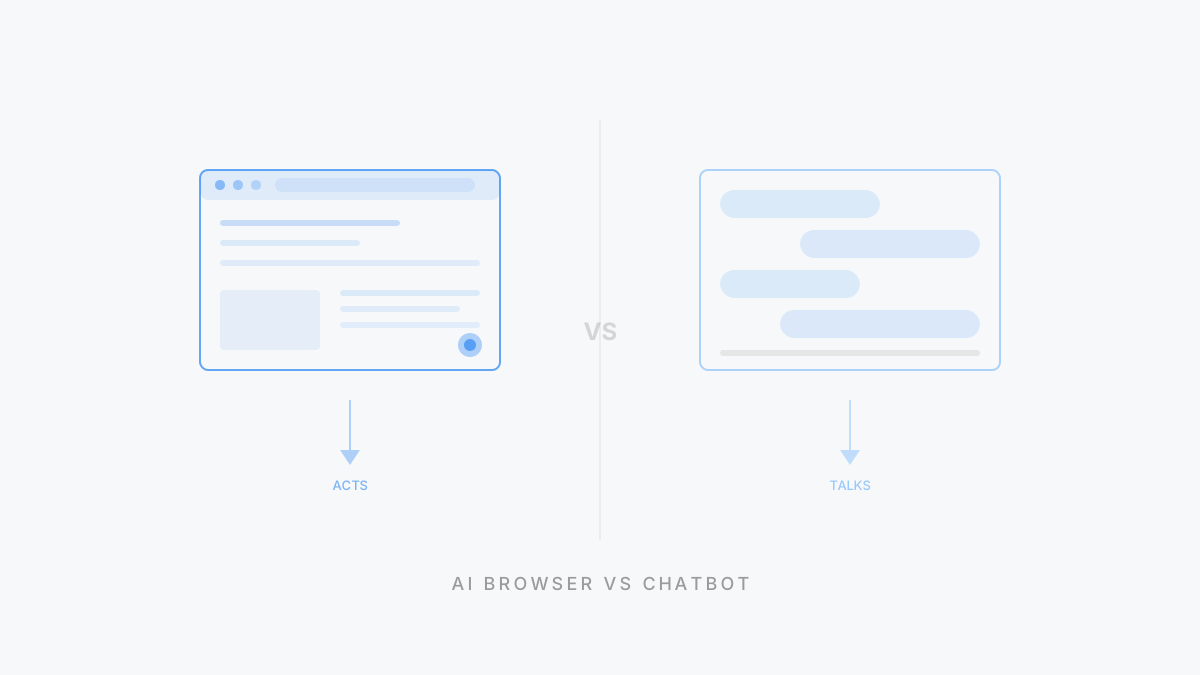
A personal agent is an AI that knows your context, takes autonomous action across your entire digital life, and improves every time you use it. An AI browser is a web browser with language models wired into the browsing experience: summarize pages, fill forms, compare tabs, answer questions using your open windows. One upgrades a tool. The other replaces the need to operate the tool yourself. That’s not a feature gap. It’s a category gap.
What is an AI browser?
Picture your morning research routine. You open twelve tabs, skim six, copy-paste quotes into a doc, compare two product pages side by side, and somehow lose the one article that actually mattered. An AI browser is what happens when the browser itself starts helping with that mess.
An AI browser integrates language models directly into browsing. Not as a sidebar chatbot bolted onto Chrome, but as a native part of how you navigate, read, and interact with pages. You open an article, the browser summarizes it. You’re shopping, it compares prices across tabs. You ask a question, it answers from your open windows or the broader web.
The products shipping this in 2026:
- ChatGPT Atlas — OpenAI’s browser integrating GPT into web navigation. Search, summarize, extract, interact with pages without leaving the window.
- Dia — From The Browser Company (the Arc team). Built around the idea that the browser should understand what you’re doing and help proactively.
- Perplexity Comet — Perplexity’s browser combining their search engine with a full browsing experience.
These are genuinely useful products. If most of your workday happens in a browser (and for most knowledge workers, it does), an AI browser can save real time on in-browser tasks.
The key phrase: in-browser tasks.
What is a personal agent?
A personal agent is an AI that works exclusively for you, taking autonomous action across your email, calendar, files, browser, desktop, and messaging while continuously learning your preferences. Not just your open tabs. Your entire digital life.
The full definition, capabilities, and architecture are covered in our pillar guide. Here’s the short version of what separates it from everything else:
It remembers you across sessions, not as a list of preference notes but as a behavioral profile built from weeks and months of working together. It acts without waiting: sends emails, books meetings, monitors competitors, preps briefings. And it works where you work. In your browser, yes, but also your file system, your desktop apps, your messaging tools. The browser is one of many surfaces it touches. Not the only one.
If that sounds like the description of a good executive assistant, that’s the right mental model.
How is a personal agent different from an AI browser?
Here’s the analogy that makes the distinction click.
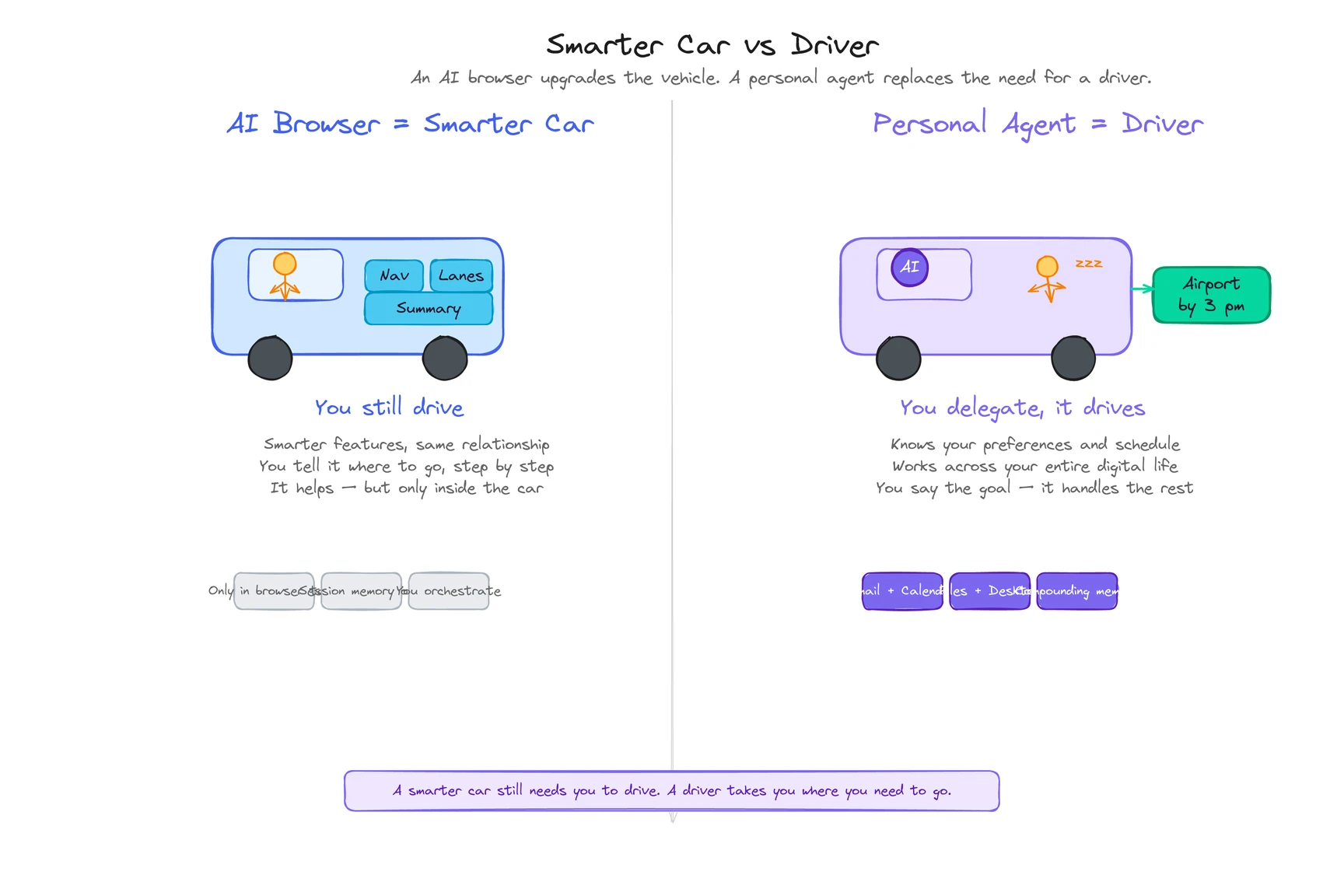
An AI browser is a smarter car. A personal agent is a driver.
The car upgrade is real. Heated seats, better navigation, lane-keeping assist. You’re still behind the wheel. You decide where to go, when to turn, what route to take. The AI just makes each of those steps a bit easier.
A driver changes the relationship entirely. You say “get me to the airport by 3 PM” and someone else figures out the route, handles the traffic, drops you at the right terminal. You focus on something else.
That’s the structural difference. And it plays out across four dimensions.
The comparison
The table below captures the measurable gaps. Pay attention to the “scope” and “works without browser” rows. That’s where the category line actually falls.
| Dimension | AI Browser | Personal Agent |
|---|
| Scope | Browser tabs and web pages | Email, calendar, files, browser, desktop, messaging |
| Memory | Session-level or browsing history | Persistent cross-session memory that compounds over months |
| Actions | Summarize pages, fill forms, compare tabs | Send emails, book meetings, create files, run multi-step workflows |
| Environment | Inside the browser window | Browser + desktop + file system + messaging apps |
| Works without browser open | No | Yes — background tasks, monitoring, notifications |
| Proactive behavior | Suggests actions on the current page | Briefs you, surfaces changes, acts without prompting |
| Examples | Atlas, Dia, Comet | ego, Manus |
The table flattens the differences a bit. Four things matter most.
Scope: browser tabs vs your entire digital life
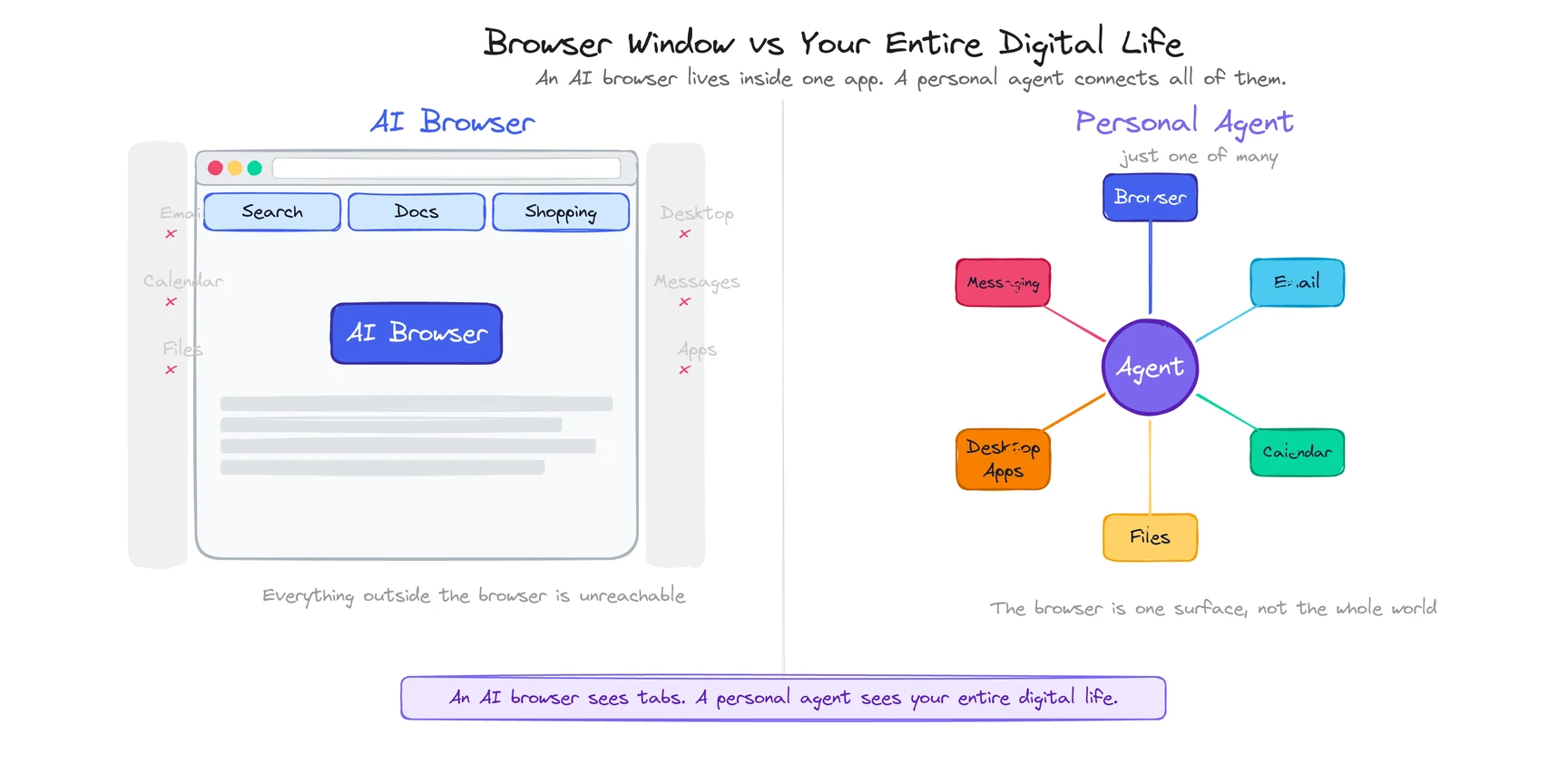
An AI browser is powerful inside the browser. Genuinely powerful. But the moment you close it, the AI stops. It can’t touch your email client. It can’t create a Word document on your desktop. It can’t send a Telegram message.
Your digital life doesn’t happen entirely in a browser. A personal agent knows that. One instruction can trigger a workflow that starts with a web search, continues with a file created in Documents, and ends with a Slack message to your team. An AI browser handles step one. The other two steps don’t exist in its world.
Memory: session-level vs compounding
AI browsers typically remember what you’ve done within a browsing session. Some reference your history. But that memory is shallow, scoped to the browser.
A personal agent builds multi-layered understanding over time. After two weeks, it knows your writing style, your scheduling preferences, which emails you handle yourself and which ones it can draft. After two months, it anticipates work you haven’t asked for. (This is also, honestly, what makes switching to a competitor painful. More on that in the pillar guide’s limitations section.)
The difference: a tool that makes today easier vs. a system that gets measurably better every week. (For a technical look at how those memory layers actually work, see How Do Personal Agents Work?)
Environment: browser-only vs everything
An AI browser lives in the browser. That’s its strength and its ceiling.
A personal agent sits at the operating system level. It sees your screen. It opens applications. It reads and writes files. The browser is one of many tools it uses, not the container it lives in.
Concretely: an AI browser can help you fill out a web form. A personal agent can pull information from your local files, fill the form, download the result, rename it, move it to the right folder, and email the link to your colleague. Same starting point. Completely different reach.
This is the subtlest difference. Also the most important.
An AI browser is a tool. You decide what to do, when to do it, how to do it. The AI assists each step. A personal agent is a delegate. You say what you want to happen, and it figures out the how. Over time, you stop telling it, because it already knows. GPS vs. driver. The GPS tells you where to turn. The driver takes you there while you work on something else.
Can an AI browser become a personal agent?
This is the right question. The honest answer: it’s architecturally very hard.
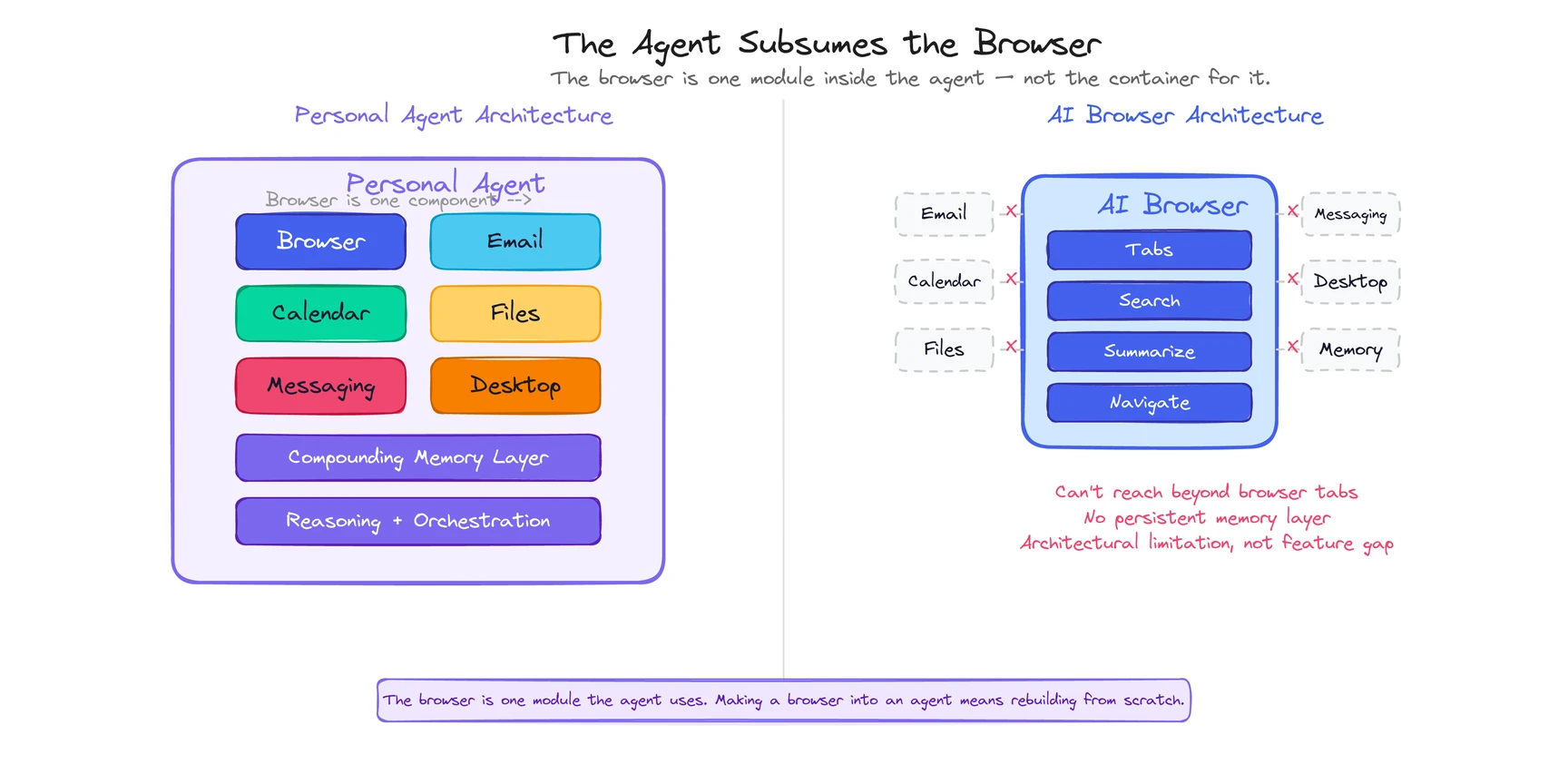
An AI browser starts with a browser runtime as its foundation. Everything it does is built on top of web page rendering, tab management, and browser-level APIs. To become a personal agent, it would need to break out of that foundation entirely: file system access, desktop app control, persistent cross-session memory, background execution when the browser is closed, multi-channel communication through Telegram, Slack, email.
That’s not adding features to a browser. That’s building a different kind of software from a different starting point.
Some products approach this from the other direction. They start as agents and include a browser as one surface among several. The browser is a component of the agent, not the other way around. This matters because the agent was designed from day one to work across your entire environment, with the browser as one tool it reaches for, not the container it’s trapped in.
Could a browser company add all those capabilities on top? Maybe. But browser architectures create gravitational pull — the thirty-year history of personal agent attempts shows that each generation failed by building from the wrong starting point. Features tend to stay browser-scoped because that’s where the engineering assumptions, APIs, and UX patterns live. Breaking out of the browser means fighting the architecture, not extending it.
The more likely outcome: both categories coexist. AI browsers get better at in-browser tasks. Personal agents get better at cross-platform orchestration. And an agent that includes a browser is a strictly larger product than a browser that includes an AI. The agent subsumes the browser use case. The reverse isn’t true.
Neither is universally better. They solve different problems.
Reach for an AI browser when most of your work happens inside web pages: reading, researching, comparing. You want your browsing workflow faster, not restructured. You’re comfortable being the operator.
Reach for a personal agent when your work spans multiple environments: browser, email, files, calendar, messaging. You want complete workflows handled end-to-end. You need something that remembers you across sessions, acts proactively, or runs tasks while the browser is closed.
The overlap zone: both summarize pages, both help with web research, both interact with web-based tools. If your needs fit entirely inside a browser window, an AI browser might be all you need, and it’ll probably do in-browser tasks slightly better because it’s laser-focused on that scope.
The moment your needs extend beyond the browser window, there’s no workaround. An AI browser can’t email someone on your behalf, organize your local files, or prep a briefing by pulling together your calendar, email threads, and a competitor’s website. A personal agent can.
One test: if you’re evaluating Atlas or Dia and keep thinking “but can it also do X outside the browser?” — you’re looking for a personal agent. You just didn’t have the word for it yet.